
Askwise: Q&A for Confluence
Internal Q&A your team will actually use. People ask, the right experts answer, and the best answer is easy to find later, including from Confluence search.
In Atlassian Marketplace review. Install link coming here when it is approved.
What it does
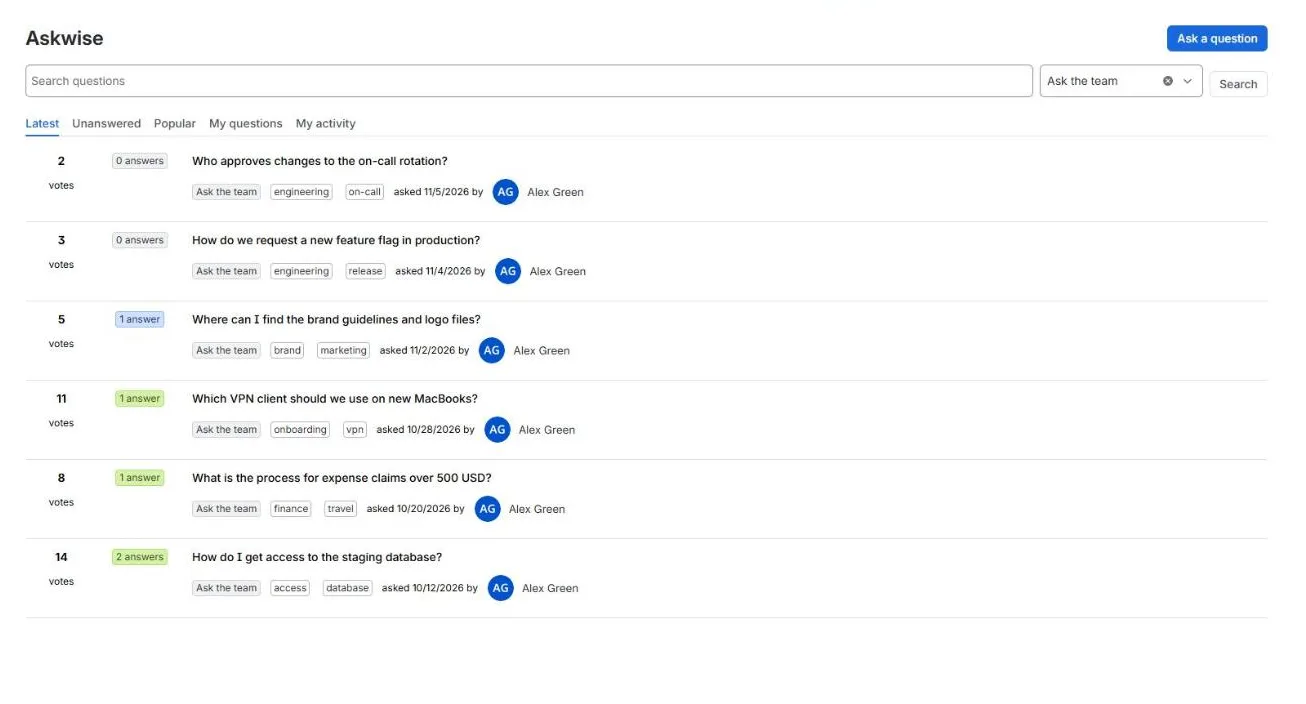
- Ask and answer inside Confluence. Rich text questions and answers, comments, upvotes and an accepted answer.
- Find answers later. Lists for latest, unanswered, popular and your own questions, tag filters, and search inside Askwise. Each question is also added to Confluence search as the Askwise question content type, so people can find it from the Confluence search page by choosing that type.
- See similar questions first. While someone types a title, Askwise shows questions that were already asked.
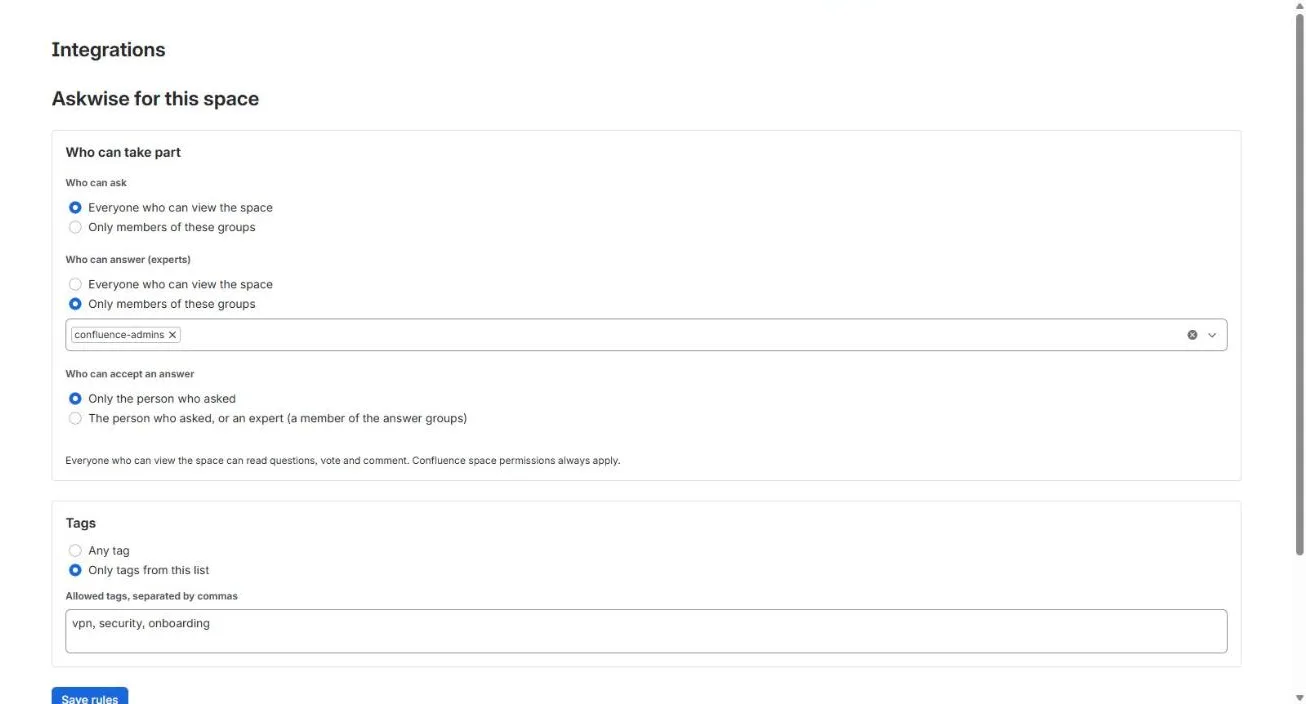
- Control who takes part, per space. Choose which groups can ask, which groups can answer (your experts), whether experts can accept answers, and whether tags come from a fixed list.
- Put questions on any page. The Askwise questions macro shows a list for the current space or a tag, with an Ask a question button.
- Stay up to date. Watch a question or a tag and see new answers and comments under My activity.
- Own your data. Export a space to JSON and CSV at any time, and import existing Q&A from Questions for Confluence (Data Center or Server) or from a CSV file.
Set up
- Install Askwise from the Atlassian Marketplace. You need Confluence administrator permission.
- Open Apps → Askwise in the Confluence sidebar and ask the first question.
- Optional, per space: Space settings → Integrations → Askwise to set who can ask, answer and accept, and to manage tags. Space admin permission is needed.
- Optional: add the Askwise questions macro to a page (type
/Askwisein the editor). - Moving from Questions for Confluence? See Import your existing Q&A.
Permissions
Askwise follows Confluence space permissions everywhere. A person sees a question only if they can view its space, in lists, Askwise search, the macro and Confluence search. Space rules are checked on the server for every action, not only hidden in the screen.
Pricing
Free for teams of up to 10 users. Larger teams pay per user through the Atlassian Marketplace; see the listing for current prices. Atlassian handles billing and trials.
Data
Askwise runs entirely on Atlassian Forge. Questions, answers and settings are stored in your Atlassian site, no data is sent outside Atlassian, and only Atlassian account IDs are stored for people. Details: privacy and security.
Questions
See the support page.